
Users, Groups, and Access Control
On this page
4.8 Users, Groups, and Access Control
Users identify individuals; groups define role capabilities; group SQL defines actual data scope. Deliver policies with the layout and test under the target user. Licensing sets the feature ceiling and cannot replace role permissions, or vice versa.
4.8.1 Controlled and Open-Access Modes
Controlled mode requires valid users and group-based operation, with administrators maintaining settings. Saved layouts carry their access policies to COC.
Open-access mode does not require these application accounts. It is not a shared controlled identity and provides no per-person login distinction. Confirm that the organization's data rules and workstation environment permit it. Operating-system identity, database authorization, and physical protection still apply. Open access does not remove product licensing or database authentication.
4.8.2 Managing Users
- Enter User Management with administrative authority and ensure at least one valid administrator remains.
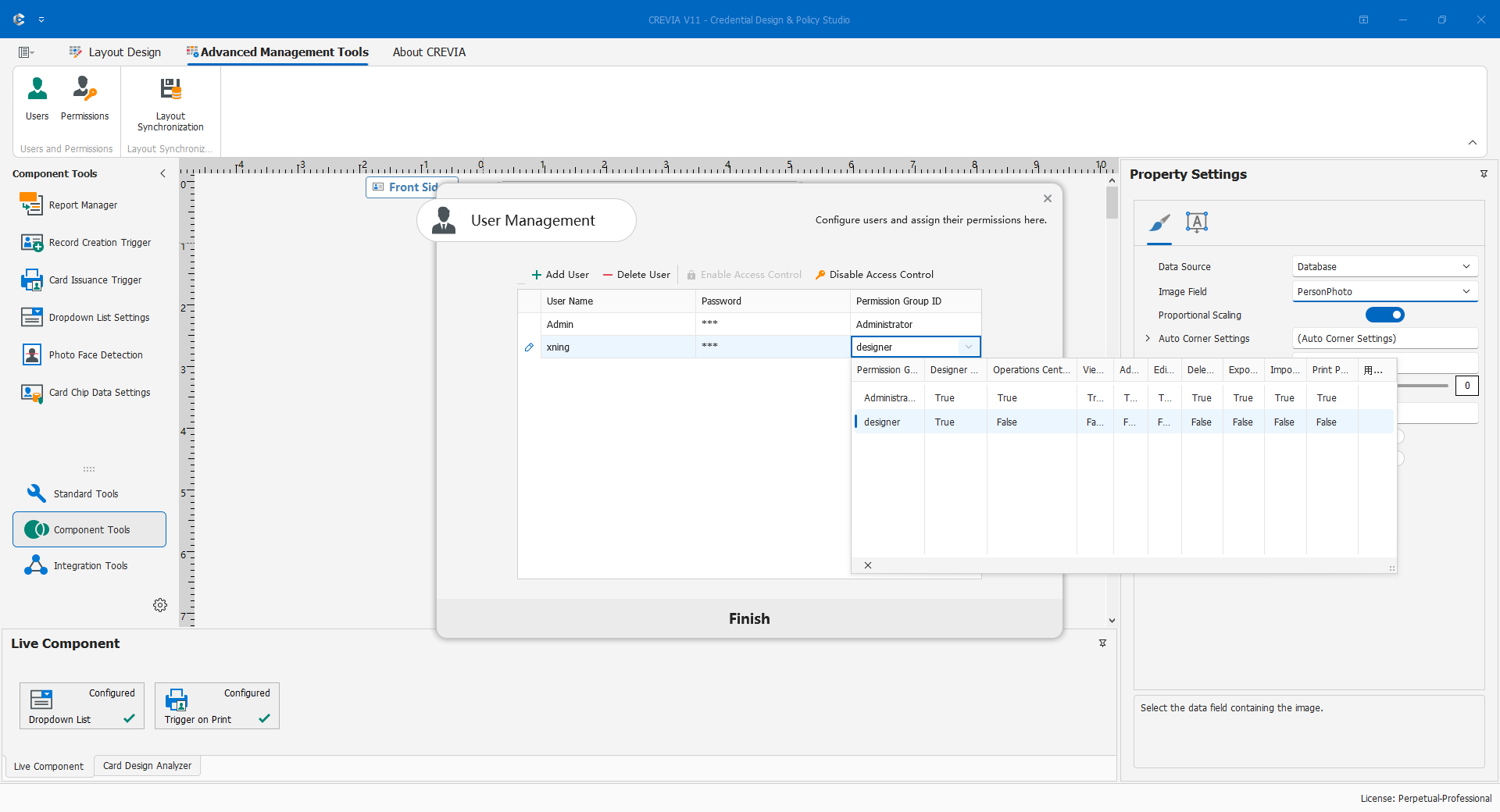
- Create individual users, supply credentials, and assign groups; create required groups first if necessary.
- Save and check names/membership. Do not share the administrator account for daily work.
- Test COC login and both permitted and restricted actions.
- When staff leave or roles change, update users, groups, report scopes, and affected layout deliveries.
Do not put passwords in names, folder notes, or screenshots. Transfer initial credentials securely and require changes under organizational policy. Remove unused test access. CDPS login does not imply COC login permission, and successful login does not grant all data actions.
4.8.3 Configuring Group Permissions
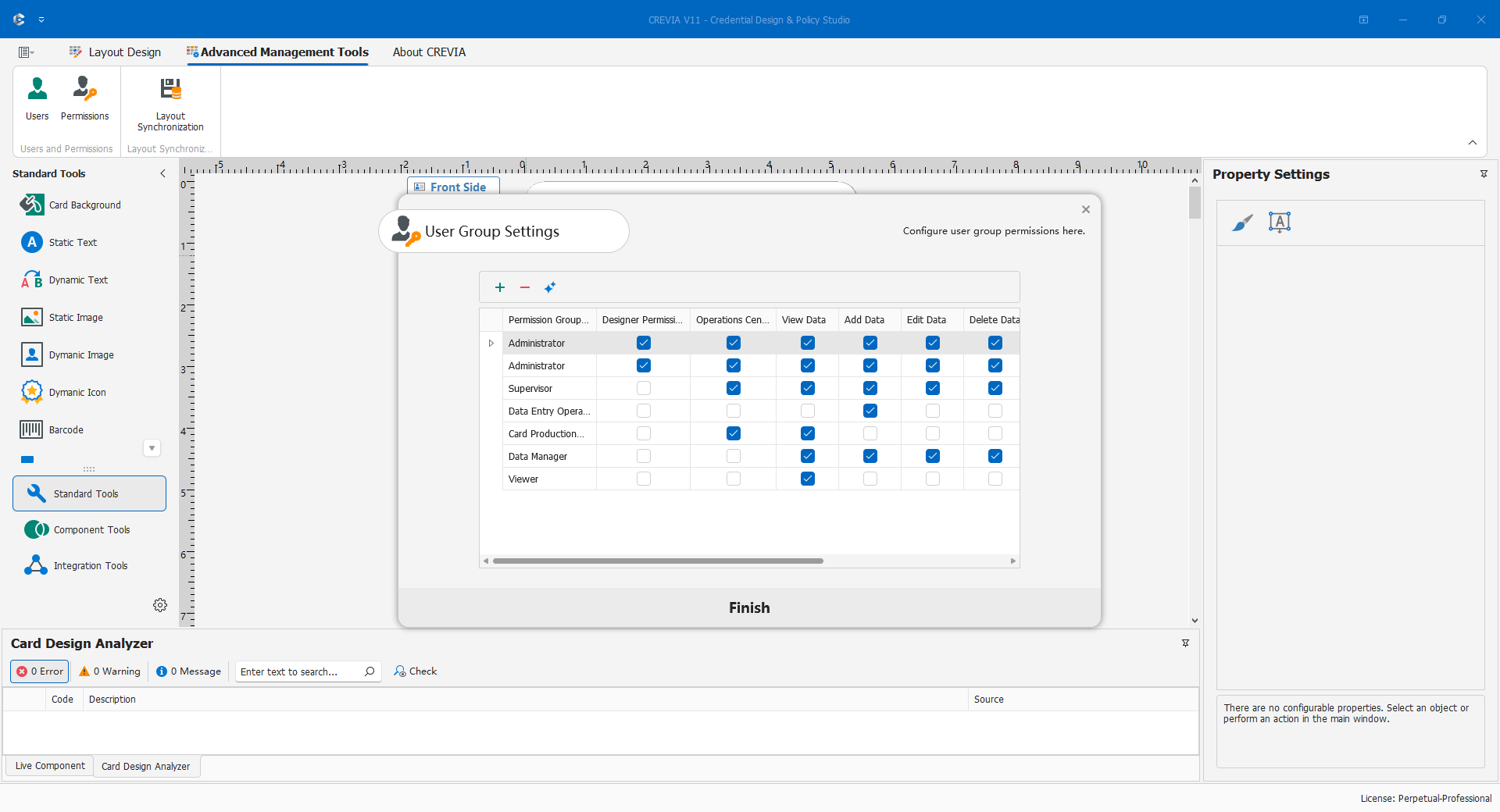
Define responsibilities before assigning users. A design administrator maintains layouts, data, components, and policies; only trusted personnel should hold that role. A production operator enters COC and receives only necessary browsing, editing, and printing abilities. Evaluate deletion, batch exchange, and management separately.
Create/select the group, set design and operations login plus individual business permissions, verify membership, save policies and layout, then test one allowed action, one forbidden action, and data scope in COC. Do not grant everything just for a convenient test.
Record which clients have received the new layout. Updating users on the design workstation does not instantly change clients using an old layout.
4.8.4 User Group SQL and Data Scope
Main SQL is the default query. When group SQL is configured, COC uses it as the actual source in preference to main SQL, not as an ordinary appended view filter. Blank group SQL means fallback to main SQL, not deny-all.
For a department-specific group, derive an approved scoped query from the validated main query. Use actual business keys, retain required keys/outputs, and keep aliases/types compatible with bindings. With a group user, verify one included and one excluded person, then test required queries, entry, reports, and output. Save, deliver, and verify other clients.
Ordinary view filters are not authorization isolation. Database accounts still require least privilege. Complex query and write scopes need administrator review; do not paste sample conditions into production without adapting them.
4.8.5 Enabling and Disabling Access Control
Both operations change the user/permission system. They are not remedies for one forgotten password or a temporary logout. Schedule maintenance and back up policies and layouts first.
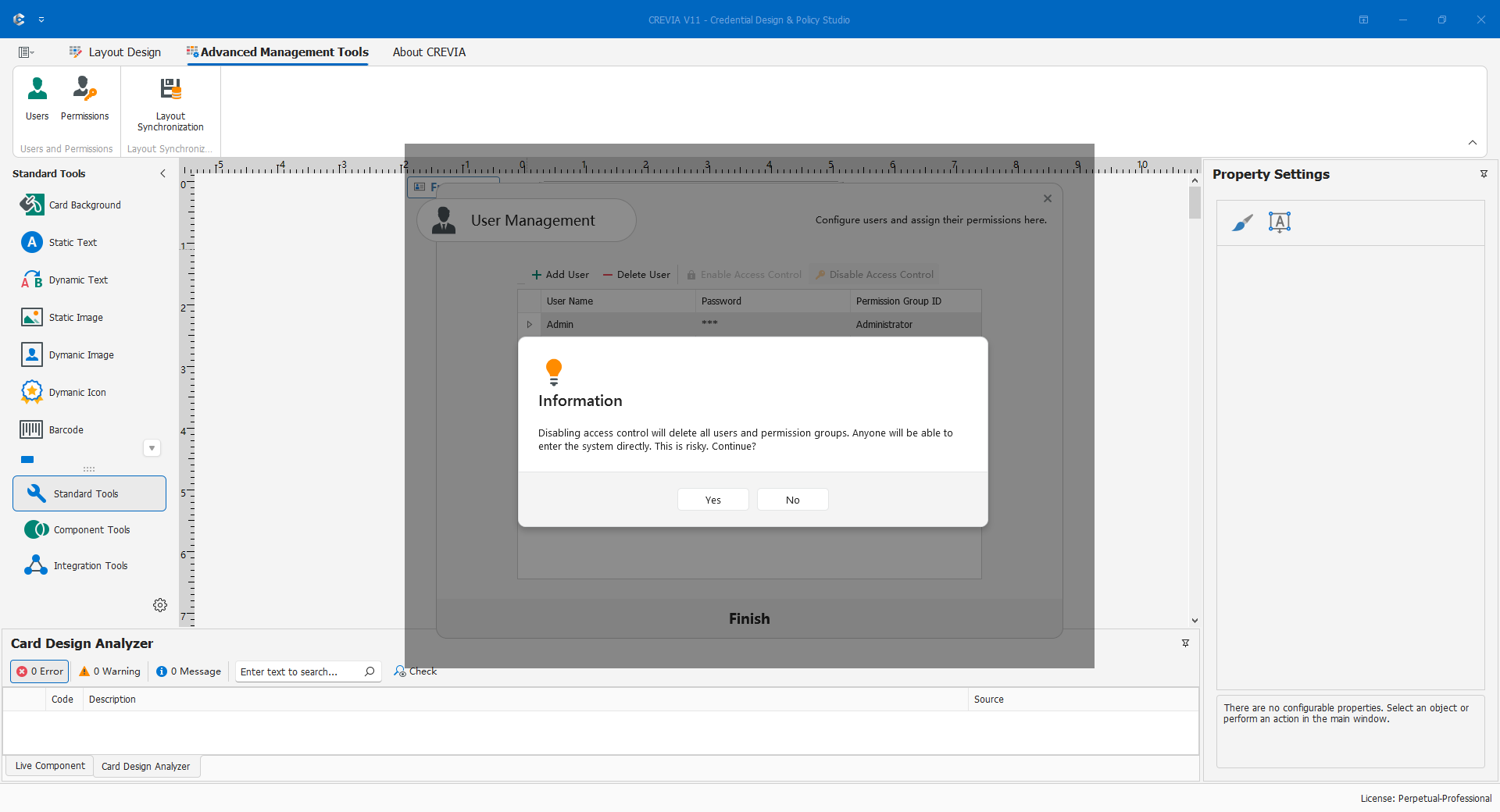
To disable, obtain approval, preserve controlled-mode backups, choose Disable Access Control in User Management, and read the warning that users and groups will be deleted. Confirm open mode, resave affected layouts, test COC behavior, and deliver. Check old layouts separately.
To enable, read the corresponding destructive confirmation. The current process deletes existing users/groups and creates default administrator Admin with initial password 123. Change these credentials immediately, rebuild groups/users, recheck SQL and reports, and save/deliver the layout. Validate management with the administrator and operations, allowed actions, and scope with the operator.
Before production, retain valid management access, separately verify login/functions/scope, restrict reports, align delivered policies, and hand over switching risks and recovery steps.