
Components and External Interfaces
On this page
4.6 Components and External Interfaces
Components extend a layout into an operating workflow: drop-downs standardize entry, triggers add process information, and interfaces integrate other systems. They may have no visible artwork.
First establish basic data and layout operation. For each component identify its target field, execution timing, and result check. Save component settings and then the entire layout for COC delivery.
4.6.1 Preset Drop-Down Lists
Preset lists map business codes to readable names for stable classifications. They do not replace maintenance of real reference data.
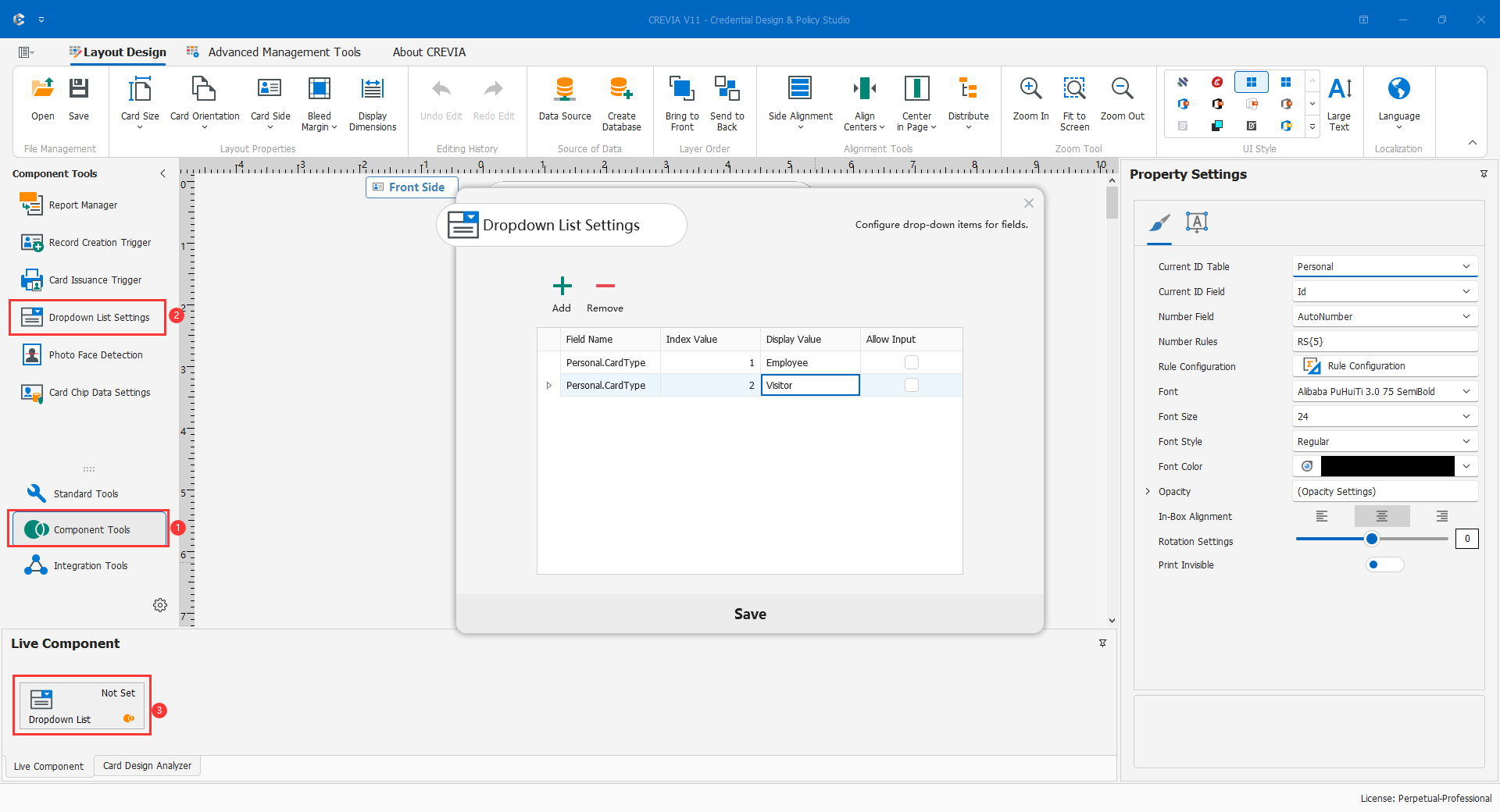
| Column | Meaning |
|---|---|
| Field Name | A field recognizable from the main SQL; establish the data source before choosing it. |
| Index Value | The integer business code, not an arbitrary row number. |
| Display Value | A clear, distinguishable operator-facing name. |
| Allow Input | Whether values beyond the list can be entered; decide this centrally for controlled classifications. |
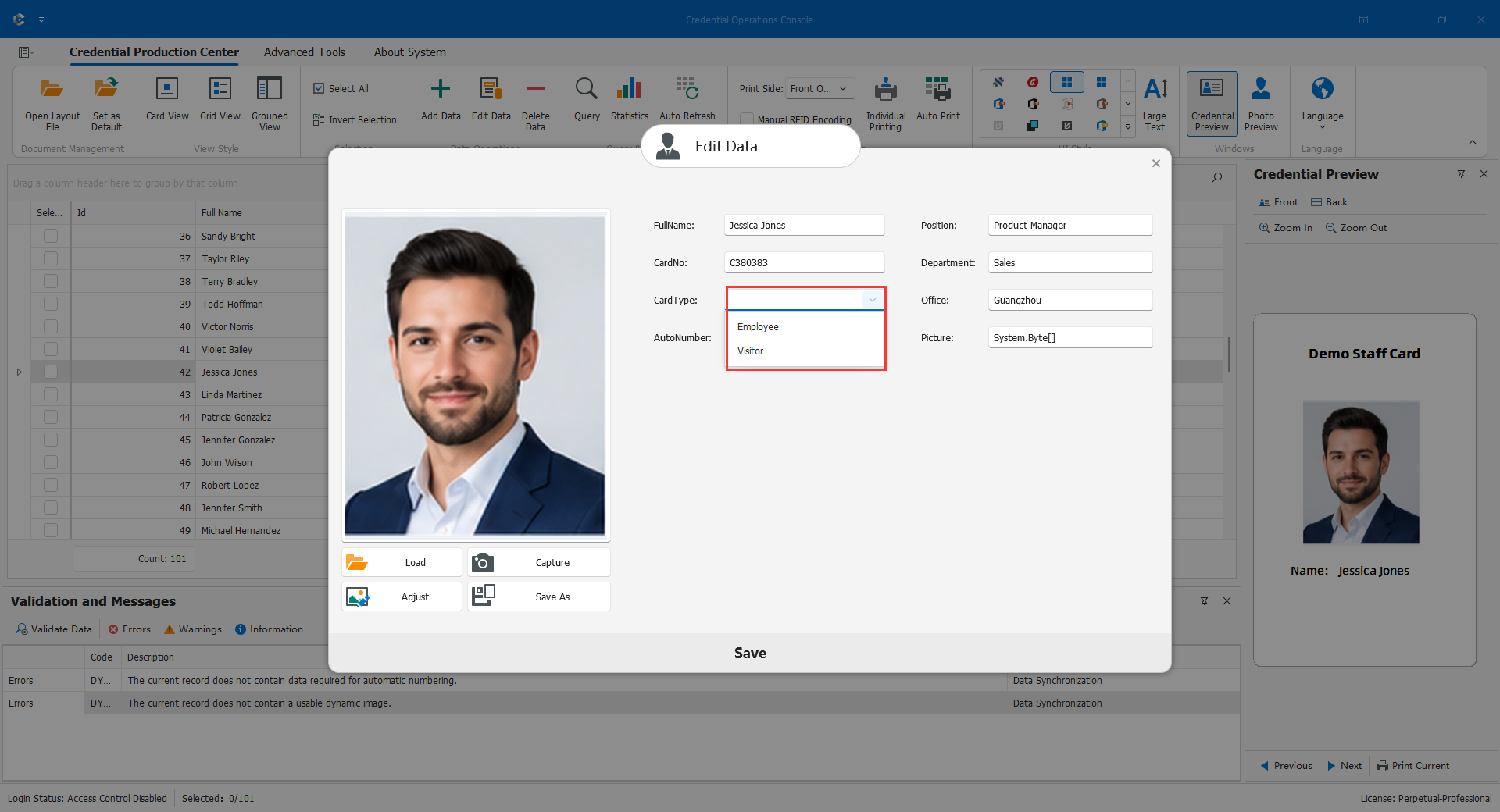
Suppose the existing convention uses 1 for Staff and 2 for Visitor. This is an example, not a replacement for production codes. Choose the field, add one row per value, check uniqueness, set Allow Input deliberately, and save settings and layout. In COC select both demonstration values, save, and reread their stored meaning.
Before changing or retiring an option, inspect historical records, symbols, and filters. A department ID must reference a real organization; a preset list does not create that row. Do not reuse an old code for a new meaning.
4.6.2 External Data Interfaces
Agree the protocol, data scope, and failure handling with the other system before configuration. The tool is an entry point, not a full protocol specification.
Obtain test/production addresses, network access, method and authentication, permitted data, stable identity keys, response fields/types, image format, not-found/missing-photo states, timeout and retry behavior, and duplicate-request policy.
- Use a test environment and demonstration identity; configure only supported requests and outputs.
- Validate one response field by field, including photo ownership.
- Bind the appropriate dynamic objects or components.
- Test success, no data, timeout, failure, and repeated requests. Establish idempotency for calls with business side effects.
- Save and publish, test from the target workstation, then move to production.
Opening a URL is not proof of integration. Missing identity data must not be replaced with static samples to continue production.
4.6.3 Data-Entry Triggers
Entry triggers can populate fields during adding, such as entry time, source, validity, or fixed content. Targets must be recognizable in the current query and compatible in type. External input/output interfaces have separate switches.
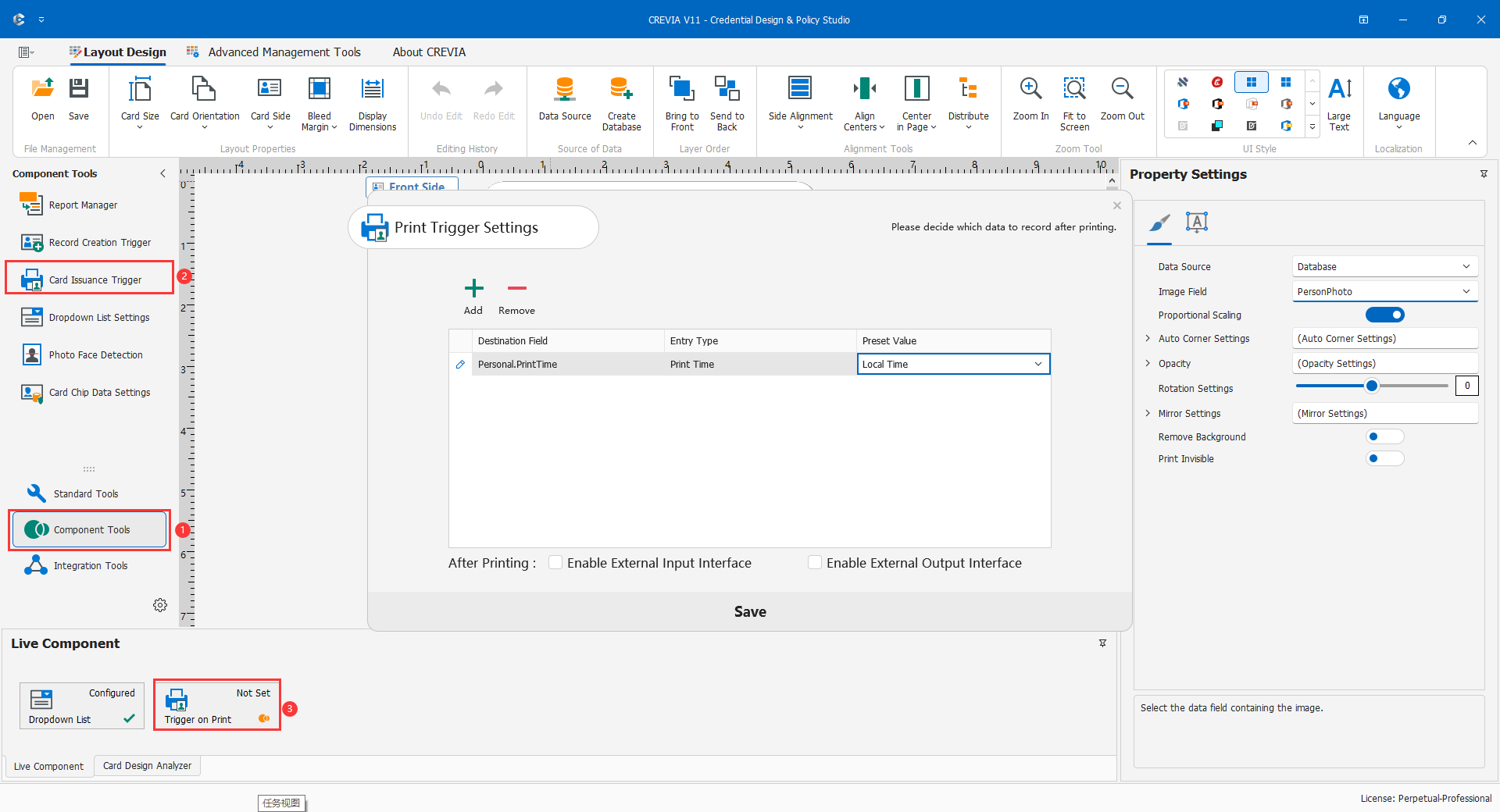
Rules contain Save Field, Entry Type, and Preset Value. Available types depend on the field category; choose the type before its value. Time may use local or server time, source may use IP, computer, or logged-in user, validity offers supported periods, and fixed content uses approved text. Database/server time is not the license's trusted-time mechanism.
Confirm date/source fields, create a time rule and a source rule, resolve conflicts with validity or preset-content rules, and leave external interfaces off if unnecessary. Save everything, add a demonstration person in COC, and reread values. Test cancellation and errors too. Verify the validity start date, repeated entry, and existing-value handling; adding behavior does not automatically describe editing existing records.
4.6.4 Print Triggers
The current interface describes these as post-print triggers, running "when printing completes". Define whether each field represents software workflow completion or physically checked issuance.
Select the date/source/status fields, configure Save Field, Entry Type, and Preset Value in order, and avoid conflicting rules on one field. Configure external calls only when needed and use a test endpoint. Save settings and layout, run a small test print, and reread results. Also test cancellation, device failure, retry, and duplicated external effects.
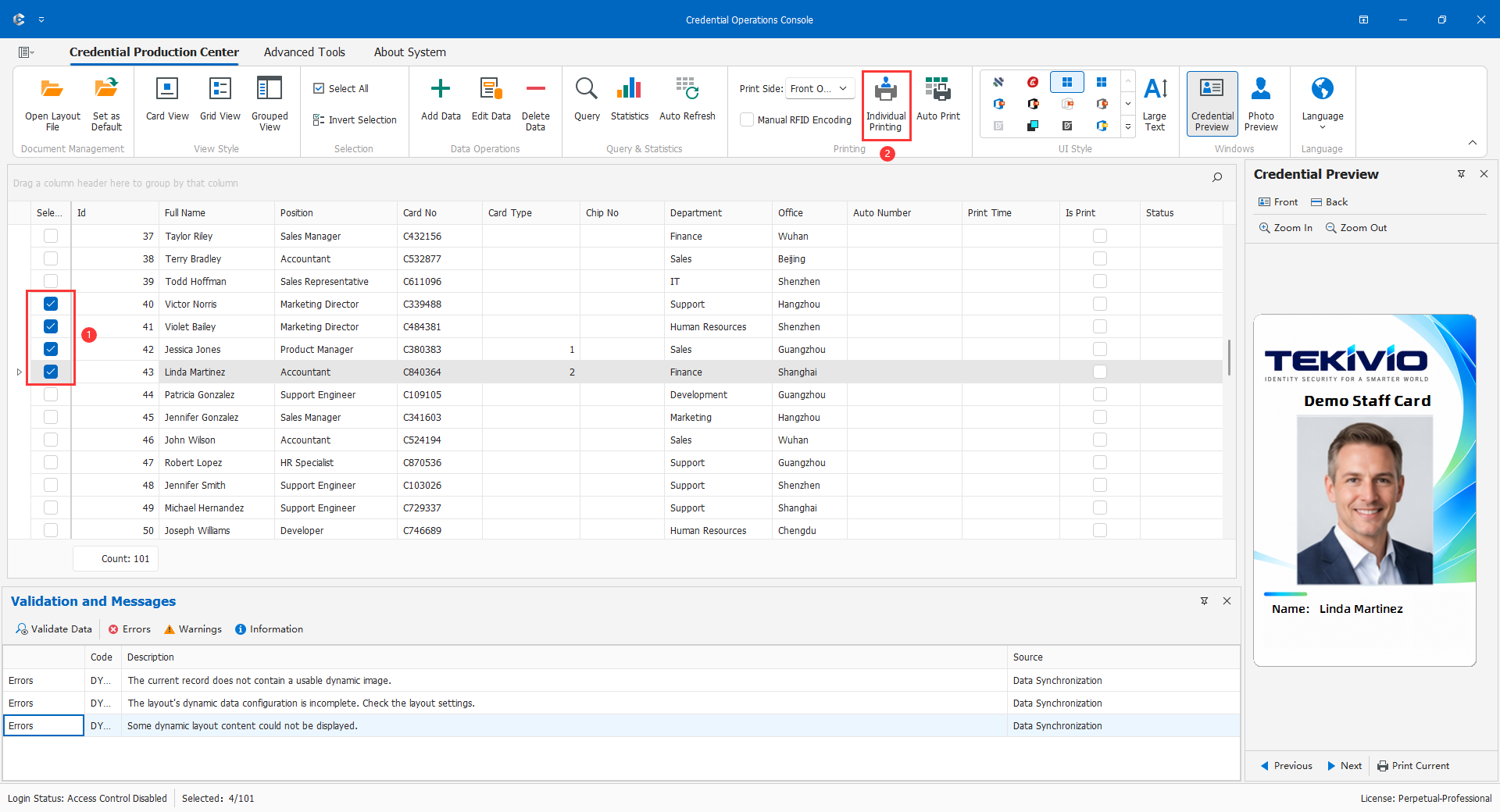
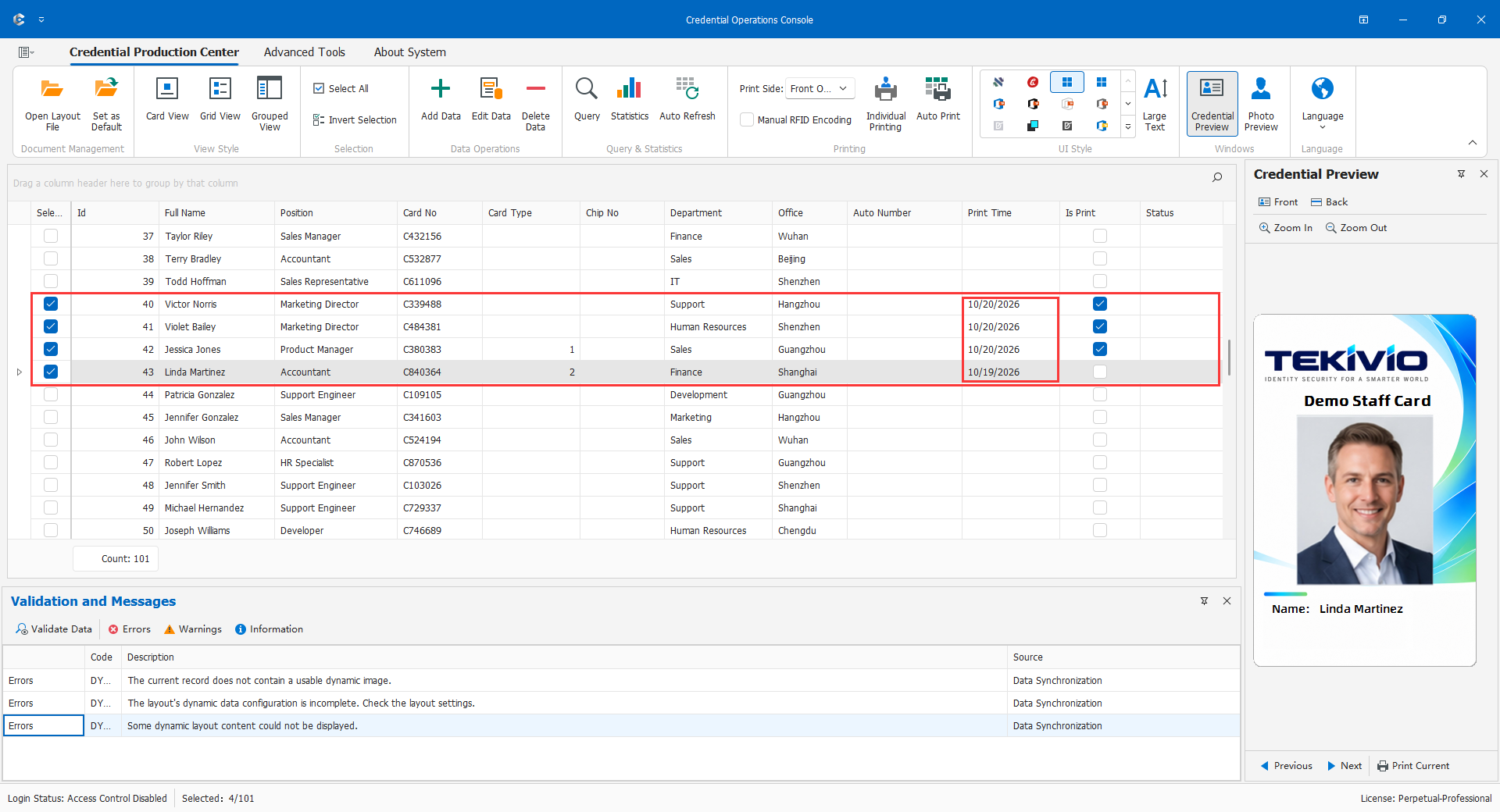
Software completion is not necessarily a physically issued, quality-checked card. Driver submission, device state, and inspection differ; one updated field does not prove physical success. Accept the trigger together with the actual production workflow.
4.6.5 Component Licensing Restrictions
Preset lists, external interfaces, and entry/print triggers require the corresponding advanced capabilities. License policies may separately disable features, and role permissions also apply. Inspect About, permissions, and prerequisites before diagnosing unavailable entries. A layout containing configuration does not make it executable under every license.
Enable only required components; document each target/type/value; validate external owners and results; establish cancellation, failure, and retry handling; and verify the saved layout in COC.