
Dynamic Design Elements
On this page
4.4 Dynamic Design Elements
Dynamic elements turn the current record into card content. The layout defines position and style; the data source supplies values. Names, photos, and codes must all switch to the same person.
First complete data configuration. Prepare at least two different people, plus long names, leading-zero numbers, and missing photos. The procedures below primarily use database data; configure folders and interfaces according to their own source rules.
4.4.1 Dynamic Text
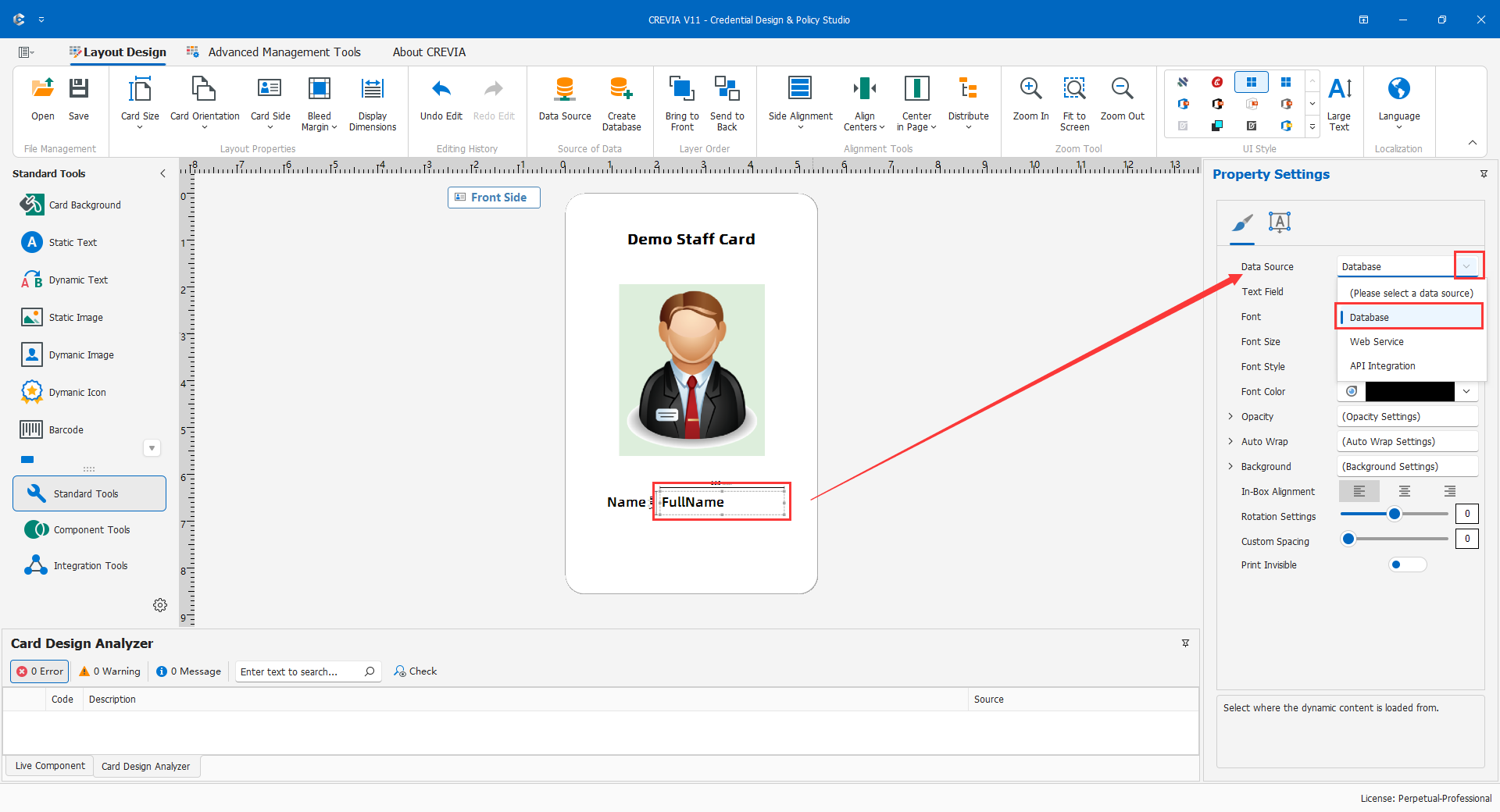
- Create dynamic text beside the name label and open its source settings.
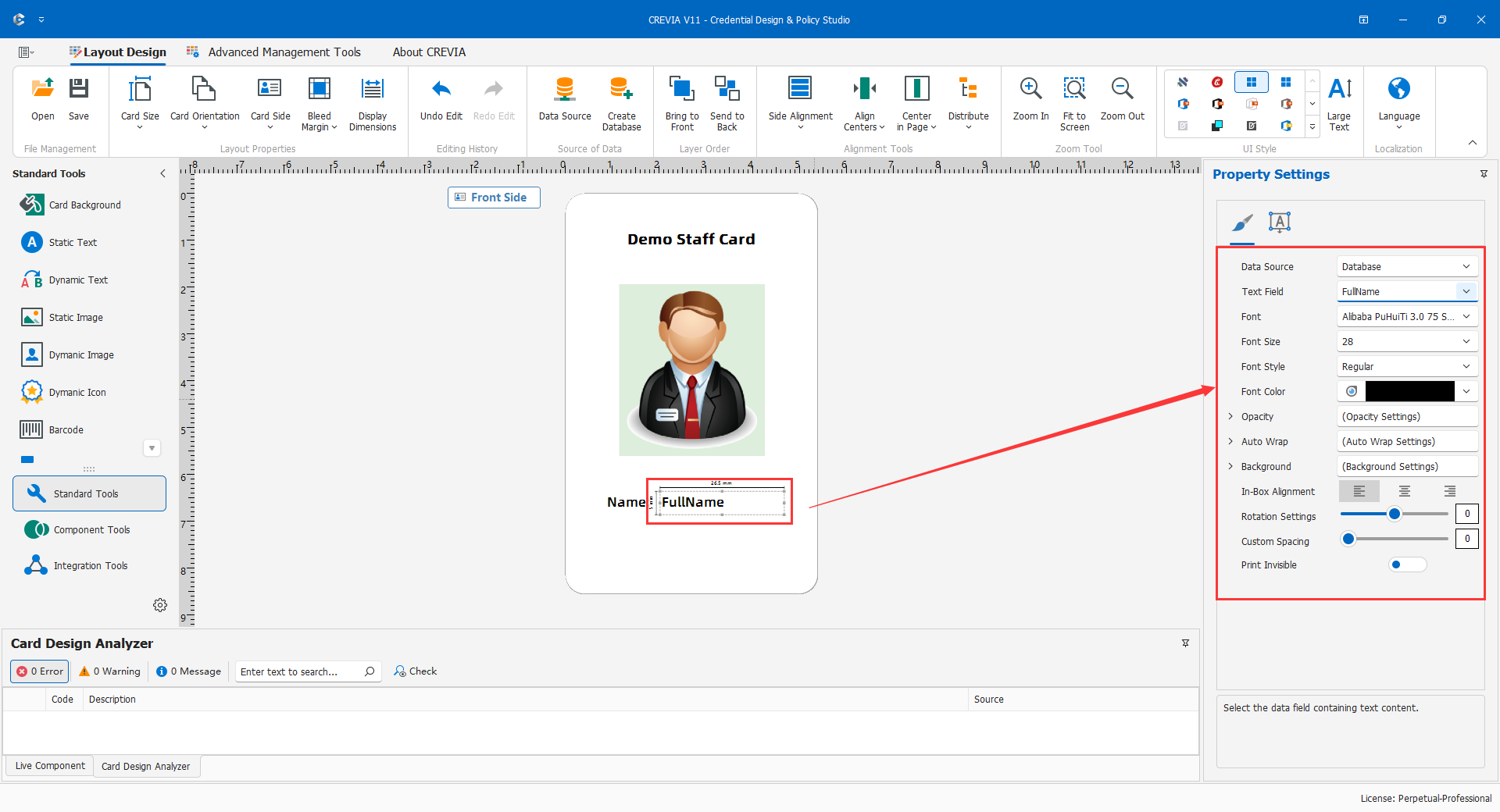
- Select the database and the name output. If SQL uses an alias, use that output name.
- Set font, alignment, width, and height, testing the longest demonstration name first.
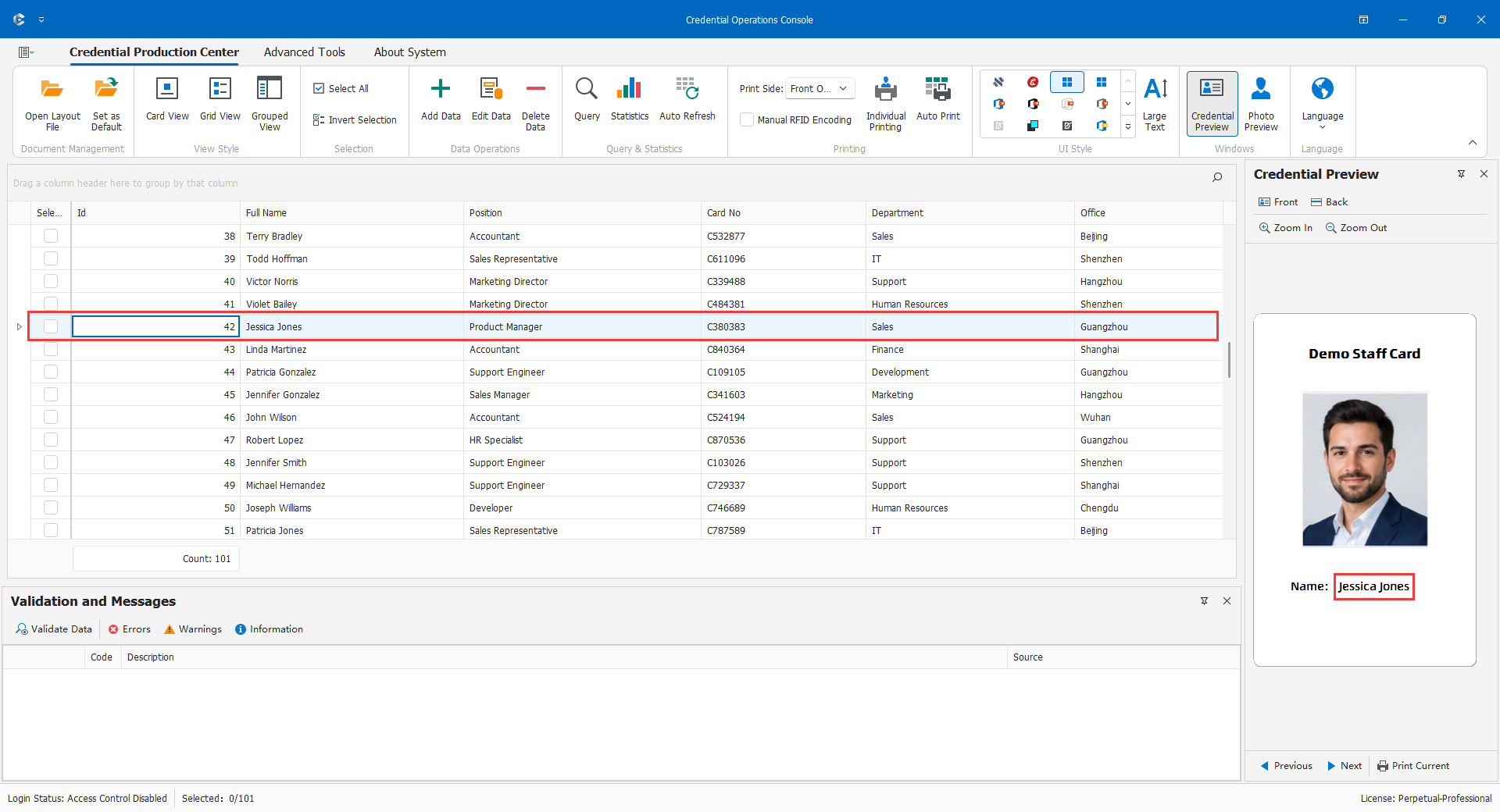
- Switch between two records and check that no previous value remains.
- Create department and number objects with their own fields; do not copy a name binding and forget to change it.
"Staff Card" is static; "Name:" is a fixed label; "Alex Morgan" is a dynamic value. Separate labels and values for easier styling.
An identifier such as 000125 is not necessarily a calculable number. Preserve its business format. If fields are absent, verify the connection, outputs, and aliases before rebinding. If leading zeros disappear, determine whether they still exist in storage before changing display formatting; a wider frame cannot restore lost data.
4.4.2 Dynamic Images and Photos
Identify Storage First
- Database binary photos contain image bytes, related to personnel through keys.
- Folder photos are files located by a field, path, or naming rule; directory, filename, and extension all matter.
- External photos depend on service availability, identity mapping, authentication, and response format.
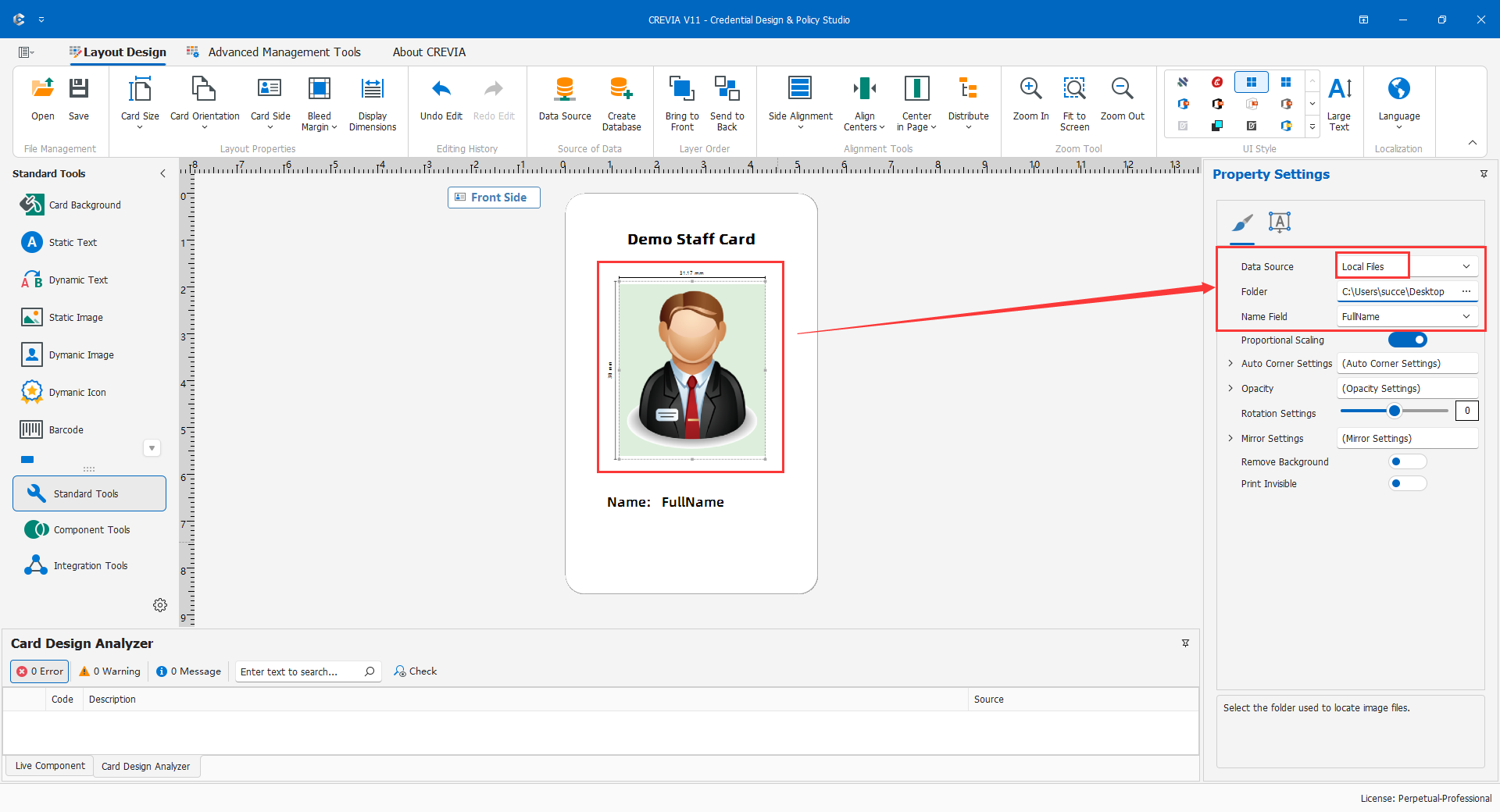
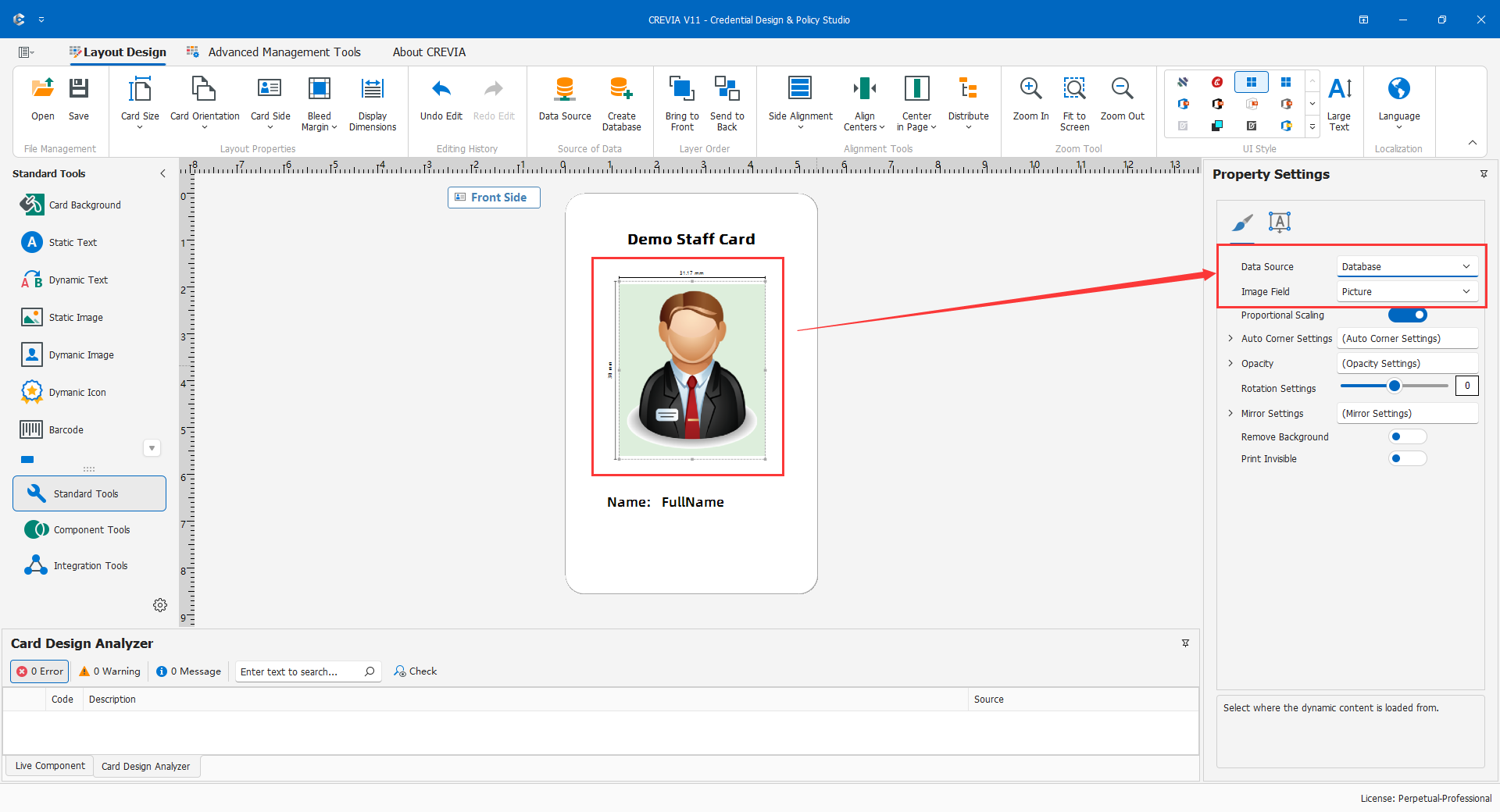
Create a dynamic image, select the actual storage model, and bind the binary output or configure the folder matching rule. A text path is not a binary image. Test external identity and image responses before binding.
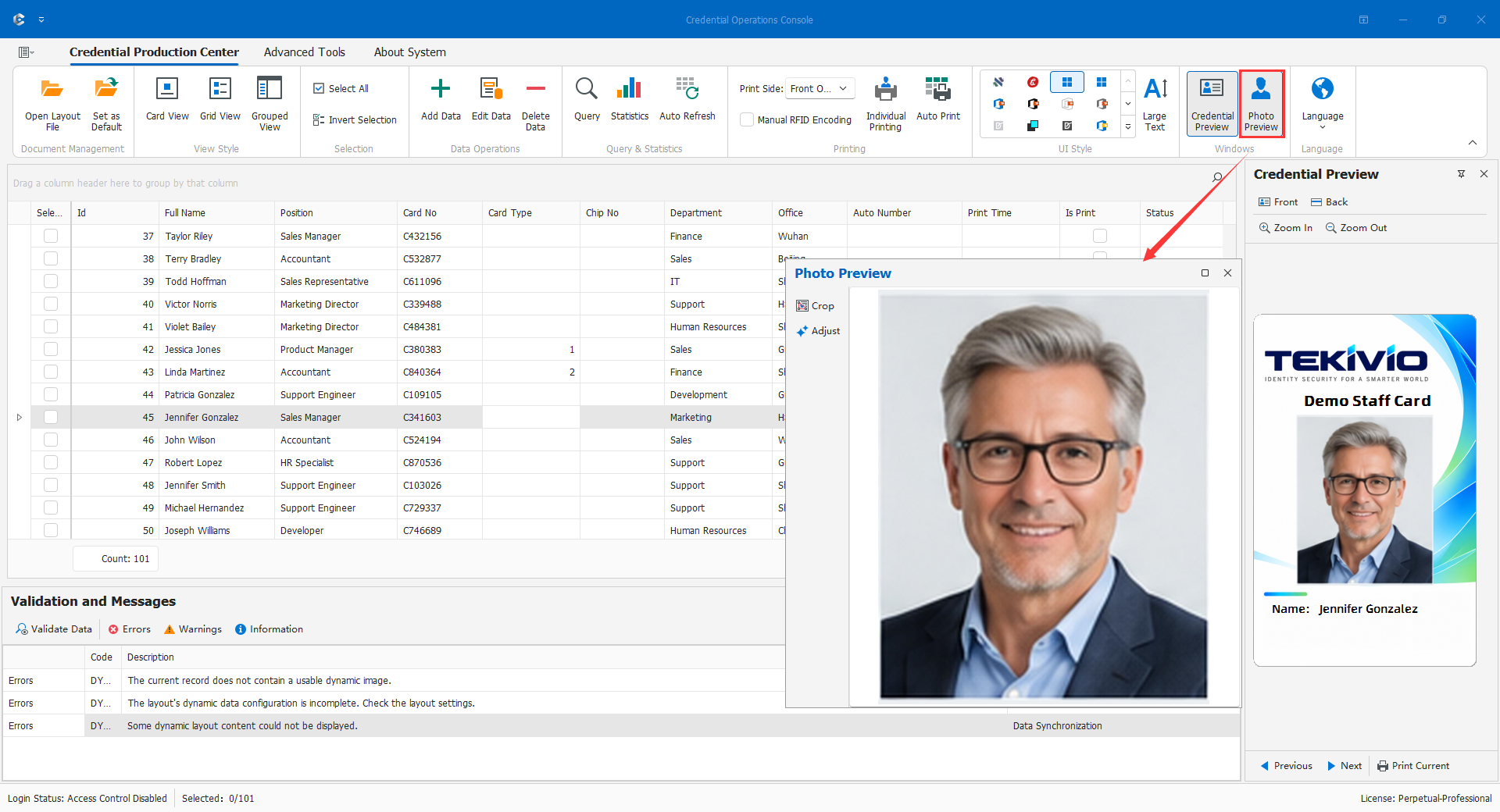
Set the photo frame and display behavior deliberately: fitting the complete image may leave margins; filling may crop edges. Preserve the face and do not stretch portraits. Check two people and a missing-photo record for mismatches or stale images, then repeat on the target COC computer with its permissions and paths.
For example, a numbering convention may associate E0001 with E0001.jpg and E0002 with E0002.jpg. Use the actual tool's supported settings rather than assuming a custom expression is required. For missing images, inspect keys, files, and paths before rebuilding a database. Stop delivery immediately if a photo belongs to another person.
4.4.3 Dynamic Barcodes and QR Codes
- Confirm reader symbology, allowed characters, and content format.
- Bind the appropriate source. In this example, the code and visible number use the same credential-number field, not a non-unique name.
- Set size, position, display options, and stable quiet zones.
- Preview and print samples for two records; scan each and verify its contents.
- Test long values, leading zeros, missing values, and unsupported characters. Correct or exclude records missing a required identity rather than substituting a shared test code.
Compare scanner output character by character with the selected record. If visible text is E0001 but the scanner reads another person's number, the layout cannot be released. Do not encode unnecessary sensitive identity data in publicly readable QR codes; the business owner must approve the scope.
4.4.4 Dynamic Symbols
Dynamic symbols map category values to artwork, for example staff versus visitor. Confirm the source and actual stored values, prepare proportionally consistent symbols, map each value using the tool, and distinguish stored IDs from displayed names.
Test all categories, NULL, and unmatched values. Unknown values should trigger correction, not silently receive a valid identity symbol. If Staff changes to Employee, update symbol mappings as well as drop-down options. Symbols are visual indicators, not database permissions.
4.4.5 Automatic Numbering
Use automatic numbering when the output workflow genuinely needs to generate numbers. If the database already holds an official credential number, normally bind that field instead of introducing a competing sequence.
First establish whether the value is a permanent personnel identifier, an issuance number, or a print serial. Decide how reprints, retries, cancellation, and multiple clients affect it.
- Back up the layout and open numbering settings in a demonstration project.
- Configure only formats and parameters actually offered by the tool, and inspect the sample.
- Test next record, reopen, cancel, and retry with a small sample; record which actions advance the sequence.
- Verify consistency with stored numbers, barcodes, and reprint policy before production. Concurrent uniqueness requires a shared business or database constraint, not separate local starting values.
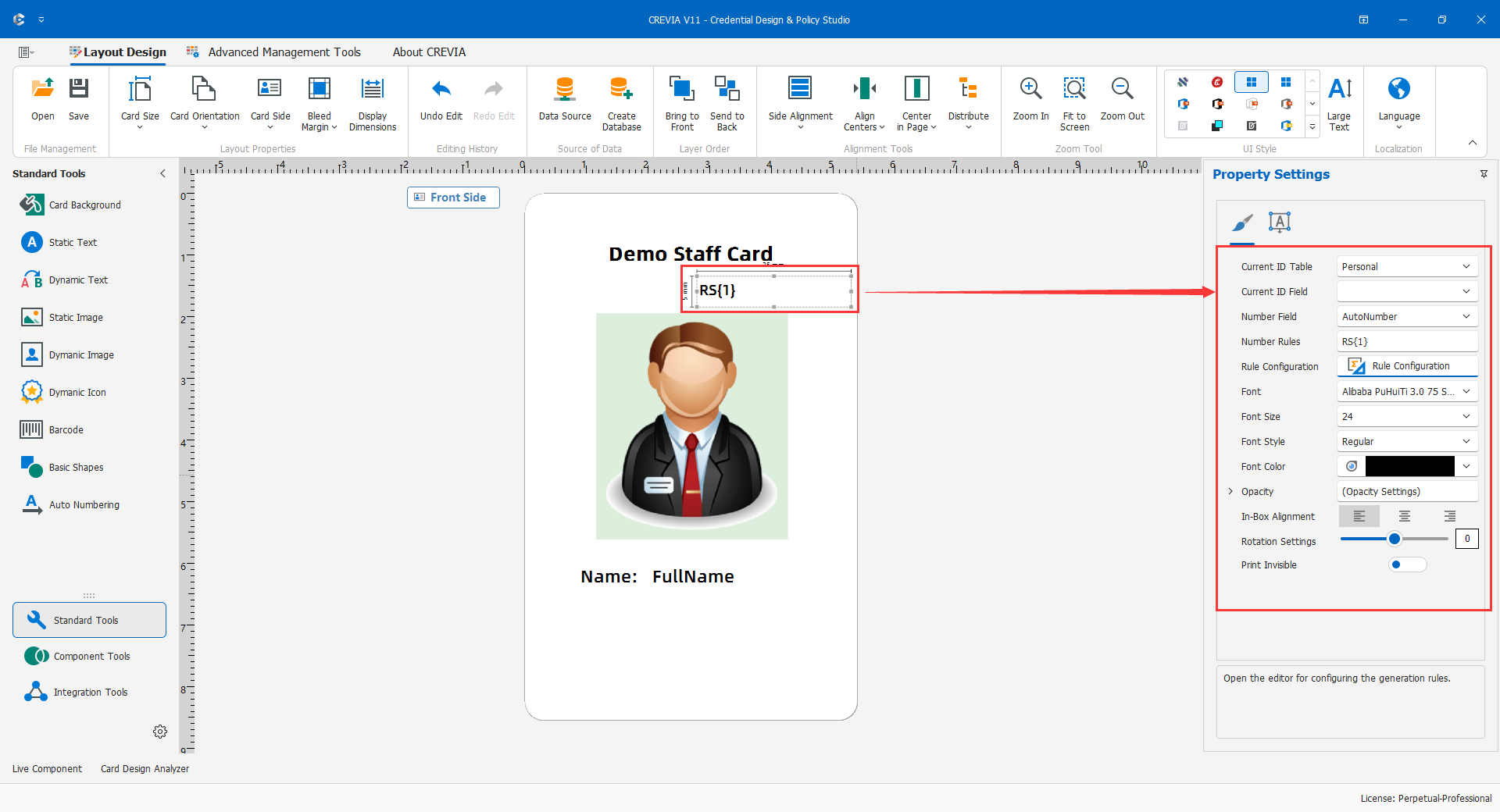
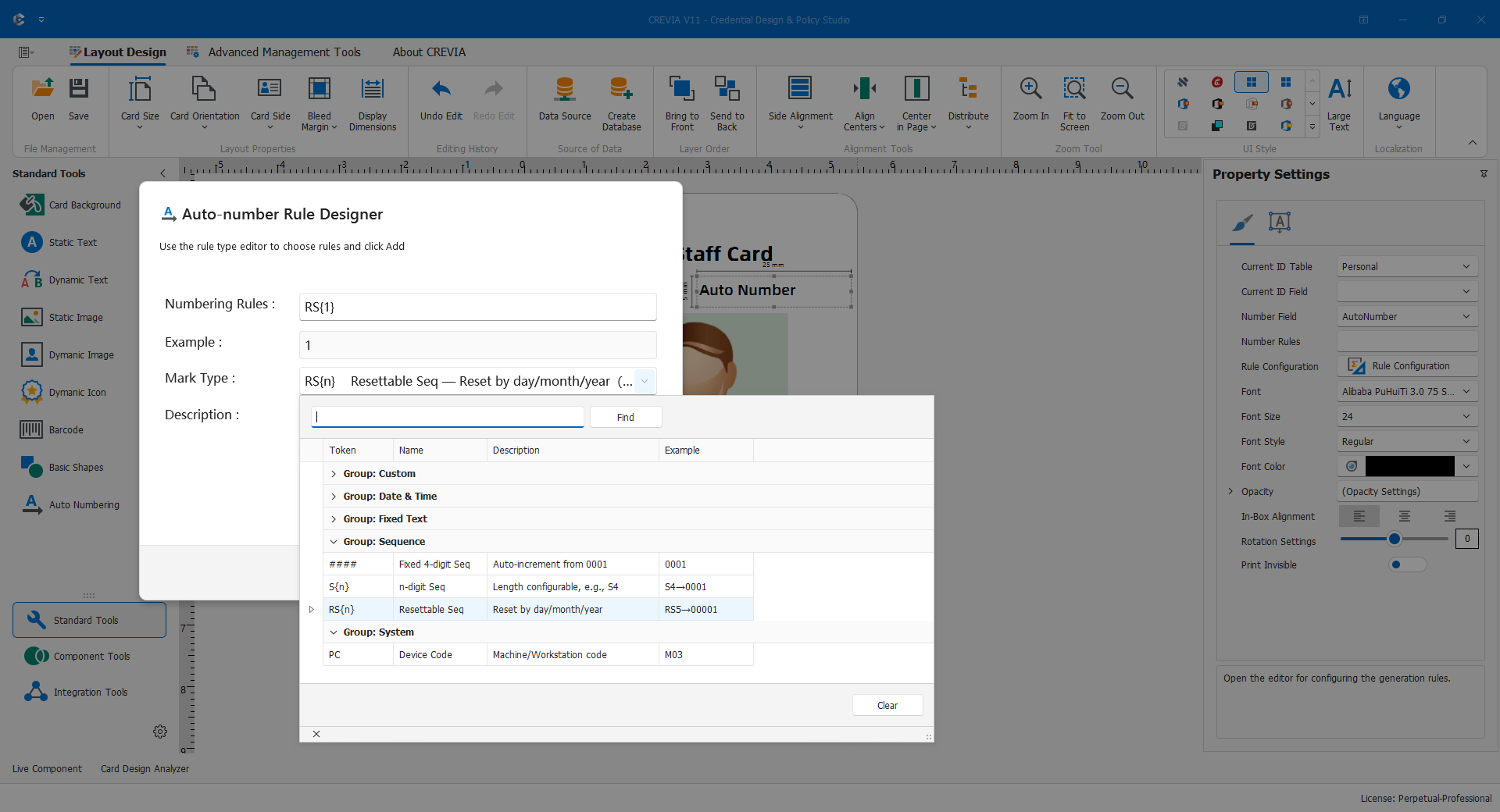
EMP-000001 is an illustrative result, not a promised expression syntax. A previewed number is not necessarily a unique number saved in the database. Timing depends on the chosen rule.
4.4.6 Sources for Dynamic Elements
A project may combine databases, folders, and services, but one consistent personnel identity must link them. A correct name paired with the wrong photo is a serious error. Start with a single database route before adding sources.
Maintain a non-secret binding inventory: name output, department name, shared visible/code identifier, photo source and matching rule. After changing SQL or a source, confirm output names, aliases, and types; inspect each dynamic binding; compare name/photo and text/code pairs; test normal, long, and missing values; save and verify in COC.
At least two records must change correctly with one-to-one photo correspondence and consistent scanned identifiers. Rebind fields removed by SQL changes rather than hiding failures behind static sample text.